You scroll. We capture.
Save spots from social posts, group them into lists, and find them when you're nearby — and stamp the countries you've already been to while you're at it.

Save a spot in seconds
Choose where you're sharing from to see how it works.
Find a post about a place
A food photo, a travel shot, or any photo post that tags or mentions a real spot.
Tap the share button
Tap the paper plane icon below the photo to open the iOS share sheet.
Choose Pocket Places
Select Pocket Places from the list. The app reads the caption, the location tag, the photos in the carousel and the first comment to work out which spots the post is about.
Review what was found
You’ll get a notification when the spots are ready. Keep the ones you want, and save them into a list at the same time if you like.
Not everything arrives as a link
A friend's recommendation, a name you half remember, a screenshot you took months ago, a hotel you were about to book. One screen in the app takes all of it.
Type a name
Search for a spot and save it. You can search a city or a whole country too — useful when you know you want to go to Japan long before you know where in Japan.
Paste a link
Copied a link from a chat, a browser tab, or a message from a friend? Paste it in and it goes through the same steps as a share.
Add a screenshot
Pick a screenshot from your photos and Pocket Places reads it for a place — a story you saved before it disappeared, a map someone sent you, a recommendation in a group chat.
Share a hotel from a booking site
Share a hotel page from Booking.com, Agoda, Expedia, Trip.com, Skyscanner or Tripadvisor and it lands on your map as a spot, so the place you nearly booked is there when you plan the trip for real.
Organize with lists
Group your saved spots by trip, by theme, or by whatever you like. Build one by hand, bring one in from Google Maps, or let one build itself out of what you've already saved.
Start one from scratch
Cafes to try downtown, date night spots, everything you've saved for three weeks in Japan. Name it, then add spots from your map or search for new ones — or send a post's spots straight into it as you review them. Hold a row to drag the list into your own order, and each row shows the note you wrote on the spot.
Bring one in from Google Maps, or from Mapstr
Ask Google for a Takeout export of your places and open the file here. Every place lands exactly where you had it, and nothing lands on your map until you've been through the rows — keep the ones you want, drop the rest, and add anything the file missed. A Mapstr export comes in the same way, with its tags offered back as lists.
Let one build itself
Say what you're after — bars for a night out in Buenos Aires — and Pocket Places builds the list out of spots you've already saved, keeping to the areas they cluster in rather than sending you across the country.
Two lists nobody builds
Every spot is either somewhere you've been or somewhere you mean to go, so “Wishlist” and “Visited spots” are there from the start. Mark a spot visited and it moves between them on its own.
Lists that organize themselves
Tell a list what it's for — hotels in Rome — and spots you save later are offered to it, with the list named beside the spot and an × to say no. A list with nothing written down goes by where its spots already are. Turn it off for one list, or for all of them, whenever you like.
Share with friends
Send a list to a partner or a friend and they can add their own spots to it. Everyone sees who added what, marks what they've visited for themselves, and saves anything they like to their own map.
A passport that fills itself in
Your map is where you're going. Your passport is where you've been — a stamp for every country, and the grey ones waiting beside them.



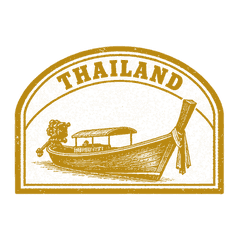

A stamp per country
Hand-drawn stamps, grouped by continent. Hold one to stamp a whole run of countries at once, or to mark the ones you haven't reached yet as somewhere you want to go.
Stamps that land on their own
Turn on automatic stamps and a day spent somewhere new is enough to earn one, so the trip you never got around to logging is logged anyway.
Fill it by talking
Record a voice note — “Japan in 2019, then Lisbon and Porto last spring” — and the countries and cities it names come back as a list to confirm. Nothing is stamped until you tick it.
Worth showing off
Countries, cities and continents on a passport page with your own stamps scattered around them. Save it to your camera roll or post it wherever you like.
Find them again
Saving is only useful if the spot comes back. Nearby when you're close to one, and by search when you're not.
Nearby map
Your saved spots sorted by distance, rating or price, on a map or a list. Narrow them to cafés, bars or whatever you're after, hide the ones you've visited, or look at just one list — so you never walk past a spot you wanted to try.
Smart alerts
Get a notification when you're within 500 meters of a saved spot, even when the app is closed. Mute spots you don't need to hear about right now.
Search everything you've saved
One search over your spots, cities, regions, countries and lists. Accents don't matter — “sao” finds São Paulo — and it works with no signal.
Related spots
Type what you mean rather than a name — “somewhere quiet to work”, “the bakery from that reel” — and your own spots are ranked by how well they fit, read from what was said about them and the lists they sit in.
Tick them off as you go
Tap the stamp on a spot you've been to and it moves out of Wishlist and into Visited spots. Hold a row to gather a whole afternoon's worth and tick them off together, add them to a list, or take them off the map.
Can't find Pocket Places in your share sheet?
You may need to add it manually. Here's how.
Open the share sheet
Share any link from Safari or another app.
Scroll to the end and tap “More”
On iOS, scroll the app row to find “More”. On Android, look for “More” or the three-dot menu.
Enable Pocket Places
Find Pocket Places in the list and toggle it on. It will appear in your share sheet from now on.
Frequently asked questions
Instagram posts, Reels, profiles and location pages; TikTok videos and photo posts; YouTube videos and Shorts, read from the description and the subtitles; Google Maps links, and a Google Takeout export of your saved places so you can bring a whole map in at once; hotel pages from Booking.com, Agoda, Expedia, Trip.com, Skyscanner and Tripadvisor; and screenshots. If a link is about one real place, there is a good chance we can find it.
Open the add screen and search for the place by name, paste a link from your clipboard, or pick a screenshot from your photos and let Pocket Places read it. All three end up in the same place — on your map.
It works best with images or videos that mention a specific place by name or have a location tag. Posts that are vague about where they were taken may not return a result. Instagram Stories are not supported. You can always add a place manually if needed.
A stamp for every country you have been to, grouped by continent, with the ones you have not reached yet sitting grey beside them. Stamp countries by hand, hold one to stamp a run of them at once, or turn on automatic stamps and let a day spent somewhere new earn its own. Your map is where you are going; the passport is where you have been.
Yes. Plenty of trips start with knowing you want to go to Japan long before you know which restaurant. Save a city as a destination and it sits on your map waiting for spots, and countries you want to reach are marked in your passport.
Lists group your saved spots by theme or trip — cafes to try downtown, or everything you have saved for three weeks in Japan. Build one by hand, bring one in from a Google Takeout or Mapstr export, or let Pocket Places build one out of spots you have already saved. Two are there without you building them: Wishlist and Visited spots, which a spot moves between the moment you mark it visited. Any list can be shared with a link.
Yes. Tell a list what it is for — hotels in Rome, kids activities in Japan — and the spots you save afterwards are offered to it. A list with nothing written down is read from what it already holds and where those spots are. The lists a spot is headed for are named beside it as you review, and you can take any of them off. Each list has its own switch, on the list itself; three lists can do this at a time on the free plan.
Yes. Ask Google for a Takeout export of Maps (your places), or Mapstr for an export of your map, and open the file through Import on the home screen. Every place lands exactly where you had it rather than on a namesake somewhere else, and your lists and tags are offered back as lists you can untick. Nothing lands on your map until you have been through the rows, so you can keep the ones you want, drop the rest, and add anything the file missed. The free plan brings 25 places across in all; Plus brings a whole export.
Yes. Search looks across everything you have saved — spots, cities, regions, countries and lists — and ignores accents. Underneath it, Related spots ranks your own places by what you mean rather than what they are called, so "somewhere quiet to work" or "the bakery from that reel" finds the spot even when the name is gone.
On the passport, tap the microphone and say where you have been — "Japan in 2019, then Lisbon and Porto last spring". The countries and cities it names come back as a list with a tick beside each, and only the ones you confirm are stamped.
Yes, Pocket Places is free to download and use. Save as many places as you like to your personal map.
Yes, a free account is required so your saved places sync across your devices and stay safe in the cloud. You can sign up with your Apple ID, Google Account, or email.
Yes. Your saved spots, maps, lists and passport are stored on your device, and the search across everything you have saved works too, so they are all there on a plane or in a foreign city with no signal. Anything you change while offline syncs the next time you are connected.
Yes. Share a list with a partner or a friend and they can add their own spots to it, with everyone seeing who added what and marking what they have visited for themselves. Anything they like they can save to their own map. Your passport shares as an image, so you can post it wherever you like.
Nothing from a post is saved until you have looked at it. Every spot that comes back is a row you can keep or drop, and when the match is wrong there is a link on the spot itself to go and find the right one. We are always improving our detection to make this more accurate.
Ready to start saving spots?
Download Pocket Places and build your personal travel bucket list.